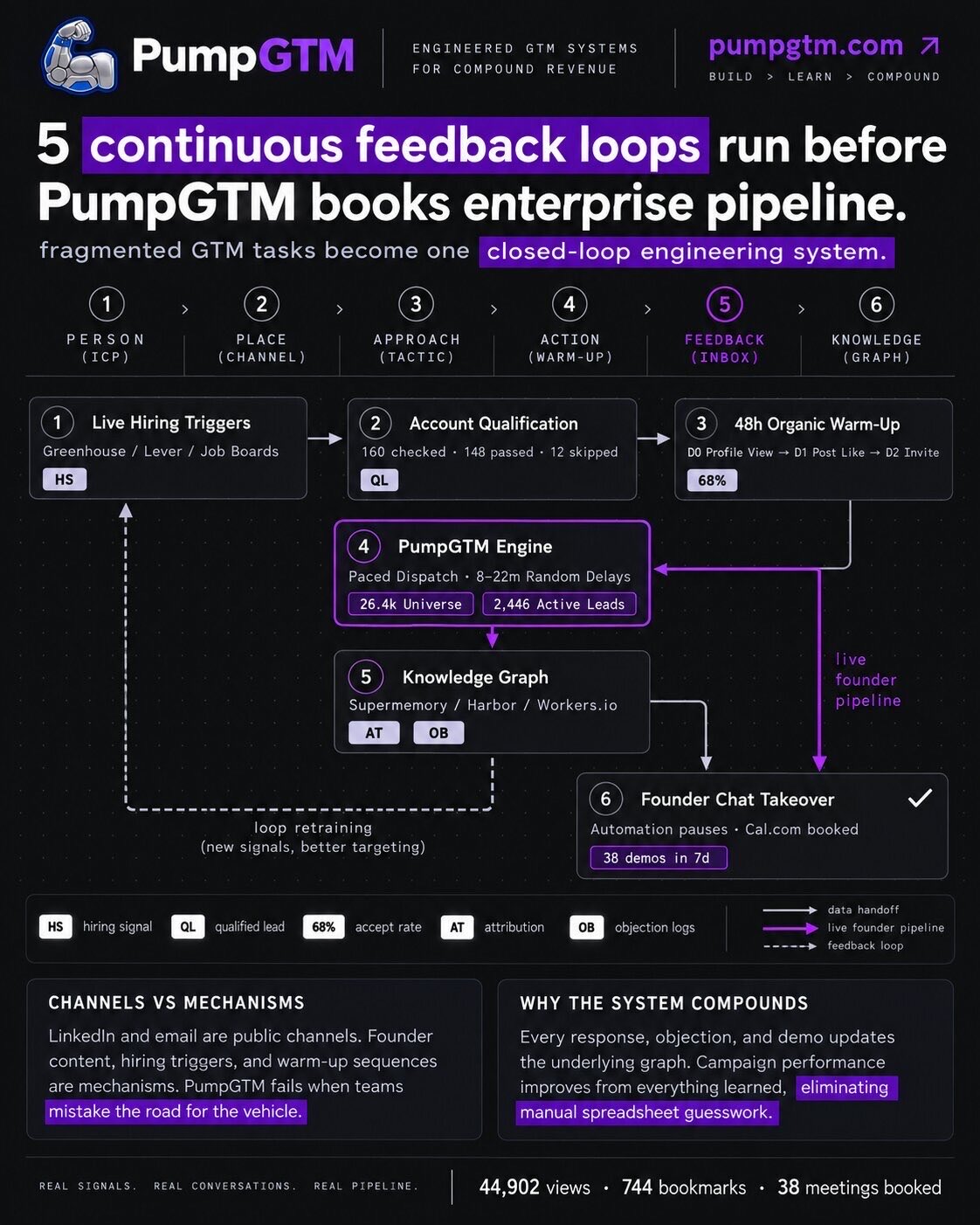
Why founders get 0.4% reply rates, and how filtering 160 leads down to 148 fixes it
Fifteen inboxes, an Apollo list and 5,000 generic emails produce a 0.4% reply rate. Scoring leads on real-time activity and skipping anyone under 60 is what changes it. Here is the 48-second check.
 Namanyay Goel3 min read
On this page
Founders usually run outbound by sending as many messages as possible. It does not work.
- They set up 15 inboxes.
- Download a list from Apollo.
- Send 5,000 generic emails.
- End up with a 0.4% reply rate.
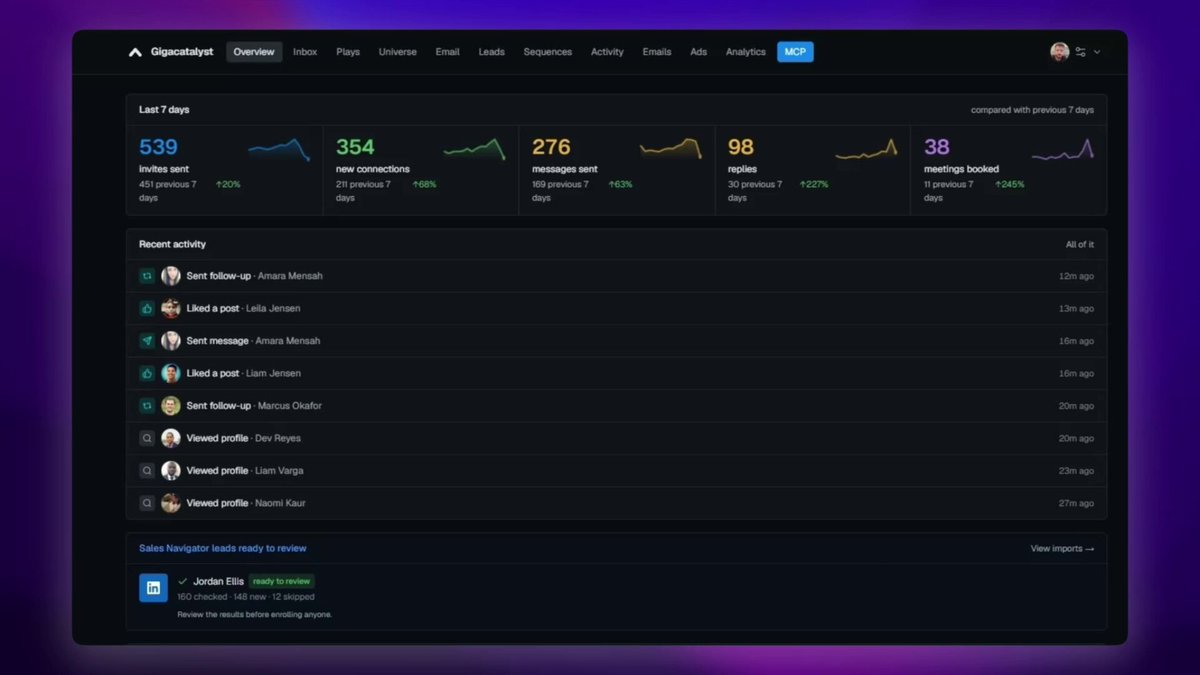
It is common sense, but reply rates improve when you filter the list first. This post expands a thread on X with a 48-second video of our engine checking 160 Sales Navigator leads and skipping the low-value ones before any message goes out.
1. The 12 skipped leads
Of 160 leads imported from Sales Navigator, 12 were dropped before outreach. Anyone without recent posts, active hiring, or the right stack gets skipped. They are not bad people, they are just not showing a signal that they care about the problem this week.
2. Scoring leads on real-time activity
Each lead is scored on live signals: hiring posts, profile recency, engagement, stack. If someone scores under 60, no message gets sent. The remaining 148 are queued for the founder to review before anyone is enrolled, so the list you approve is the list that gets messaged.
3. Why this changes reply rates
Reaching out to people while they are actively showing relevant signals gets actual replies instead of getting your account restricted or your messages sent to spam. The same message to an unfiltered list reads as noise. To a filtered list it reads as timing. Scoring on those signals is the heart of GTM engineering.
The last 7 days
| Metric | Result |
|---|---|
| Invites sent | 546 |
| Accepted | 356 (68% connection rate) |
| Qualified replies | 98 |
| Enterprise demo meetings booked | 38 |
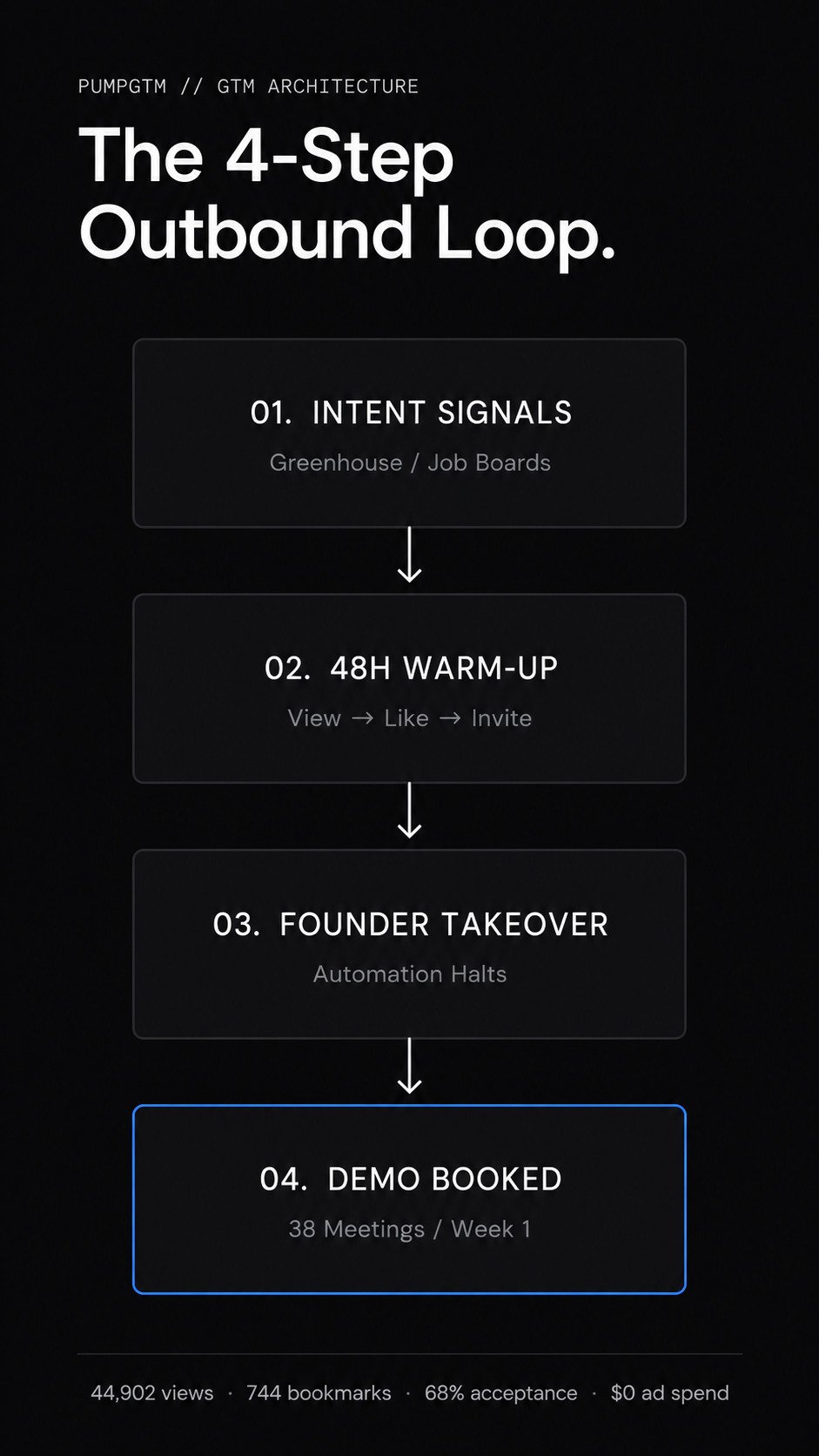
Scoring is step two of the 4-step LinkedIn outbound playbook. We packaged the whole setup into PumpGTM, which runs the check on every import and only pushes leads that pass into the multi-touch sequence from your own account.
Questions founders ask about lead scoring
What is lead scoring for LinkedIn outreach? Giving every prospect a number based on live activity, such as recent posts, active hiring and stack fit, then only messaging people above a threshold. It replaces the assumption that everyone on a list is worth a message.
What score threshold should I use? We skip anyone under 60 out of 100. The exact number matters less than having one and applying it before outreach rather than after a week of silence.
Where should the list come from? Your competitors' customers and their look-alikes: how to build a lead list with AI.
Why does a smaller list get more replies? Because the people left on it are showing a signal right now. Timing is the largest single factor in reply rate, and a filtered list is a list of good timing.
Does filtering leads protect my LinkedIn account? Yes. Fewer, better-targeted invites mean higher acceptance, and high acceptance is what keeps LinkedIn from flagging the account as spammy.
Original source · 2026-09-07 · Adapted and expanded for PumpGTM
Namanyay Goel · Founder, PumpGTM
Founder of PumpGTM (YC). Writes about founder-led GTM, LinkedIn outbound, and the systems behind it.
 LADR Media
 Harbor
 Hank
Hank